
This introduction explains how trained practitioners moved from broad impressions to clear physical sensations. The process began with simple sketches of a site and then advanced into finer perceptions. Students learned to separate true signal from mental overlays.
At institutions like SRI International, methods such as coordinate remote testing shaped the system. In Stage I, the major gestalt of a site came first. Only after that did a remote viewer focus on touch, smell, and other impressions.
Good session structure kept the work honest. Every viewer response was logged. Monitors guided timing and kept the format intact. With steady stage training, a viewer may tell when information provided is genuine and when the mind supplied extra material.
Key Takeaways
- Start with the big picture before moving into fine sensations.
- Clear session format helped preserve the integrity of results.
- Monitors played a vital role in maintaining proper timing and structure.
- Practice and training taught viewers to spot analytic overlay.
- Careful record keeping ensured accurate information about each site.
Understanding the Role of Stage Two in Remote Viewing
In this phase a trained viewer translates signal into tangible sensations. The output is the kind of contact a person would notice if they were physically at the site. These impressions cover touch, temperature, smell, sound and taste.

The system shows that energetic elements—magnetism, strong broadcasts, or ionizing fields—also register as clear feelings. Responses usually arrive as clusters of words that describe different parts of a location.
Structure matters. A strict format, guided by a monitor and interviewer, keeps the information reliable and separates true signal from mental overlay.
- Pat Price’s 1974 example of a Palo Alto plant remains a landmark for coordinate remote viewing.
- Common reports include cold, wind-swept motion, distinct textures and ambient sounds.
- Every response is recorded and categorized so the monitor can evaluate results for each session.
The Core Principles of Remote Viewing Stage Two Sensory Data Collection
The most useful rules force the viewer to use small words and fast notes to capture raw contact.
Defining sensory faculties
Sensory faculties are the five ways a person senses a site: sight, hearing, smell, taste, and touch. The 1985 coordinate remote viewing manual framed these as primary channels for a viewer. Tactile notes—rough, cold, sandy—are literal and testable.
True responses tend to cluster around the A and B parts of an ideogram. That clustering helps the monitor and interviewer evaluate the session results quickly. Pen motion in the ideogram phase is often the first contact with the site.

The Importance of Basic Words
Basic words keep the signal intact. Simple descriptors like red, cold, or rough avoid analytic overlays and preserve usable information.
The system and format insist that any objectified label beyond basics is out of structure and unreliable. In crv practice, speed matters: quick, simple notes give clearer results than long, imagined descriptions.
- The interviewer guides the process so the response is immediate.
- Monitors use basic words to judge accuracy during evaluation.
- Coordinates and quick ideogram marks link words to a location for later review.
Preparing for Your Remote Viewing Session
Declaring personal issues and logging admin details are the first professional moves. A viewer should note any personal inclemencies (PI), like back pain or fatigue, before starting. If a PI blocks the signal too much, abort the session and reschedule.
Check body and mind. Look for physical or emotional problems that might interfere with contact. Choose a quiet place where you can focus on the site and the incoming information.
The monitor records name, date, time, and location at the top of the page. These administrative elements keep the format clean and help later evaluation.
The interviewer supplies the coordinates that objectify the target site. Pen motion during the ideogram is a direct response to those coordinates and marks the earliest signal contact.
- Declare PI to avoid internal interference with the system.
- Ensure the room supports focus and minimal interruptions.
- Have the monitor log date/time and other administrative data.
- Use training sites to practice the preparation process and improve results.
For a deeper look at how the major gestalt and coordinates guide a session, see this short piece on the major gestalt.
Establishing the Proper Session Structure
Well‑defined administrative steps anchor every session and make later evaluation possible. Start with the viewer’s name, the interviewer’s name, the date, and the location. These items are logged at the top to fix context for later review.
Below that block, the coordinates are written to objectify the site. The interviewer supplies only the coordinate string to avoid inadvertent cues.
Administrative Data Requirements
Keep the monitor’s role minimal. During a Class C session the monitor may give in‑session feedback to aid training. In a Class B session, feedback is withheld until after completion for formal evaluation.
The 1985 CRV training rules made administrative logging the first step in beginning any session. Every element, from the pen motion during the ideogram to the final sketch, belongs in the format.
- Record names, date, and place before anything else.
- Write coordinates beneath administrative entries to objectify the location.
- Use Class C for training feedback and Class B for evaluation only.
- Ensure the monitor prevents deviation from the format to protect results.
“The theory of structure acts as a container for the information, keeping guesswork out of the session.”
Following this layout preserves the system so the viewer’s responses are testable and the evaluation team can analyze results reliably.
Mastering the Ideogram and Initial Signal Contact
The ideogram forms the viewer’s first bodily reply when the coordinates are spoken. The pen motion comes as a squiggle, then a felt motion, and finally an automatic analytical B-response.

CRV training from 1985 treated the ideogram as the foundation for later work. A remote viewer must produce it spontaneously, not by trying to picture the site.
The ideogram captures the major gestalt and the overall feeling or motion of the site. There are four common forms: single, double, composite, and multiple. Record the raw motion and the quick words that follow.
The monitor times the activity so the viewer moves fast into Stage II. The theory holds the ideogram is kinesthetic, not visual, which helps avoid analytic overlay and keeps the signal clean.
| Element | What to Record | Why It Matters |
|---|---|---|
| Squiggle | Exact pen motion | First contact with site |
| Feeling/Motion | One- or two-word notes | Shows major gestalt |
| B-response | Immediate analytical label | Marks automatic analysis |
Identifying Sensory Data Categories
Classifying impressions helps the viewer turn vague contact into testable notes. Begin by naming the broad categories that appear in a coordinate remote session. Clear labels let the interviewer and monitor mark what is literal and what is analytic.

Tactile Sensations
Tactile notes describe surface and temperature: rough, sandy, wet, or cold. A viewer should write one-word descriptors fast to preserve the primary signal.
Auditory Perceptions
Sounds at the site range from distant hums to machinery or water. Record short phrases like “steady hum” or “metal clank” so later evaluation can match the report to location evidence.
Energetic Experiences
Energetic impressions include magnetism, strong broadcasts, or ionizing feel. These often show up as a physical tug or tingling and help distinguish environmental features from the major gestalt.
“List concrete sensations first; labels come later.”
| Category | Typical Words | Why It Matters |
|---|---|---|
| Tactile | rough, sandy, moist | Links feeling to site surfaces |
| Auditory | hum, drip, clank | Helps match sounds to location |
| Energetic | magnetic, buzzing, hot | Flags unusual environmental elements |
Practice: in training list many short words, record every response, and let the format preserve the raw information for later evaluation.
How to Effectively Objectify Sensory Facts
Objectification means turning fleeting impressions into concrete words on paper during a session. This keeps the viewer tied to the signal and prevents imagination from taking over.
True Stage II responses use simple, fundamental words. Record one-word notes like cold, rough, or hum immediately. Avoid complex descriptions that move you out of the system.
The motion of the pen is part of the process. Controlled pen movement grounds the viewer and marks contact with the signal line. Place words in the designated area of the page so later evaluation can follow the format.
The monitor enforces structure and timing. Training sessions let the remote viewer practice objectifying impressions from many sites. These results form the foundation for dimensional work in the next stage.
“Write what you feel first; label it later.”
- Write sensory facts fast and literal.
- Use basic words to preserve the signal.
- Let the format and monitor keep the session honest.
Understanding the Concept of Signal Loiter Time
Signal loiter time is the span during which a viewer can perceive and record impressions from a site before the contact fades.
In early training the CRV manual (1985) notes that loiter time grows as a practitioner moves from a quick, broad contact into a slower, more detailed phase.

The widening aperture means information arrives more slowly and in finer detail. A calm pace helps the viewer catch each element of the site while the signal lingers.
Practice matters. Training sites let a trainee feel different loiter times so they learn to match pen motion and words to the presence of the signal.
- Respect the loiter time; do not rush the session.
- The monitor times and guides pacing to keep the format intact.
- Record every response while the contact is present; results improve when the system is followed.
“Let the signal stay; then write what it gives you.”
To learn how a monitor supports this pacing and formal structure, see how to become a coordinate remote viewing monitor.
Managing the Aperture Opening Process
Controlling how the perceptual aperture shifts is essential for a clear move from big-picture impressions to fine detail. A viewer must let the window widen slowly so the signal stays clean.

The aperture sits tight during Stage I and opens in Stage II to accept more detailed information. As it widens toward the end of the stage, the viewer may begin to sense dimensional elements.
Practice pacing. Training taught that opening the aperture too fast invites analytic overlay. The monitor times the process and helps the viewer keep a steady motion of the pen.
- The system guides a controlled expansion from major gestalt to specific sensations.
- Every element of a site arrives through the aperture; record only what you perceive.
- Use training sites to practice gradual opening and improve results.
“The aperture acts as a filter; manage it and the useful signal passes through.”
| Phase | Aperture State | Viewer Task |
|---|---|---|
| Initial | Narrow | Capture major gestalt quickly |
| Mid | Moderate | Objectify simple impressions |
| Late | Wider | Record dimensional details cautiously |
For contrast on methods and formats, see a short guide comparing coordinate approaches here.
Recognizing and Handling Analytic Overlay
When the signal is thin, imagination often steps forward with tidy, confident details. A viewer must spot that shift fast to protect the integrity of the session.

Distinguishing Signal from Imagination
True signal visuals are fuzzy and indistinct. They arrive as fragments, odd textures, or brief motions. Sharp, complete images usually mean analytic overlay.
Label it and move on. The CRV manual (1985) warns that declaring overlay stops contamination. Write the element, tag it as AOL, then return to the signal line.
- The monitor often spots AOL before the viewer does and will cue a reset.
- Use quick pen motion breaks to clear the mind and refocus contact.
- Record every suspected analytic element so it won’t be mistaken for true information later.
| Feature | Signal | Analytic Overlay (AOL) |
|---|---|---|
| Clarity | Fuzzy, partial | Sharp, vivid |
| Origin | Contact line | Memory or imagination |
| Action | Objectify briefly | Label as AOL and move on |
“The mind fills gaps; training teaches the viewer to notice when it does.”
Utilizing Dimensional Concepts in Your Session
Describing vertical, horizontal, or angular qualities helps translate feeling into concrete form. Basic dimensionals—tall, wide, long—give the viewer quick ways to map how a site occupies space.

In 1985 CRV training, instructors introduced dimension words so a remote viewer could move from a global gestalt to measurable configuration. These words usually show up late in the stage when the signal widens.
Keep terms simple. Note vertical-ness, angularity, mass, or volume with one-word labels. The monitor enforces that complex terms like panoramic are reserved for later stages; early use is out of structure.
Pen motion matters. Controlled, quick marks while saying “tall” or “wide” objectify the response and tie the information to the format. Training sites help the viewer practice spotting dimensional elements reliably.
“Record every dimensional element so the session’s results remain testable.”
- Use plain dimensionals to describe the site’s configuration.
- Let the monitor check timing and prevent premature complex terms.
- Log each dimensional word so later evaluation can match it to the location.
Interpreting Aesthetic Impact and Emotional Responses
An aesthetic impact (AI) is a sudden widening of the aperture that signals deeper contact with a site.
AIR is the viewer’s emotional reaction. It is personal and may vary widely between people.

The AI often points to the move from Stage II into Stage III. A remote viewer should note the moment and record feelings, words, and the pen motion that accompanies the break.
- Ingo Swann’s Jupiter example shows how unexpected elements can expand access to information.
- Record every element that triggers an emotional response.
- The monitor helps interpret AI and links it to later results.
| Feature | AI (Aesthetic Impact) | AIR (Emotional Response) |
|---|---|---|
| Onset | Abrupt, wide aperture | Personal, linked to viewer |
| Role | Signals deeper contact | Adds subjective information |
| Action | Note pen motion and words | Log feelings for evaluation |
“Include emotional notes; they enrich the session report and guide the transition to later stages.”
For guidance on summarizing what you record, see the session summary guide.
Implementing Effective Training Drills
Training drills begin with lists of quick, literal words that build reflexive contact. A common exercise asks a trainee to supply at least sixty words covering taste, smell, touch, sound, color, and energetic impressions.
The theory is taught first, then the monitor leads practical rounds. Each drill stresses basic words and fast pen motion to keep the signal clean.
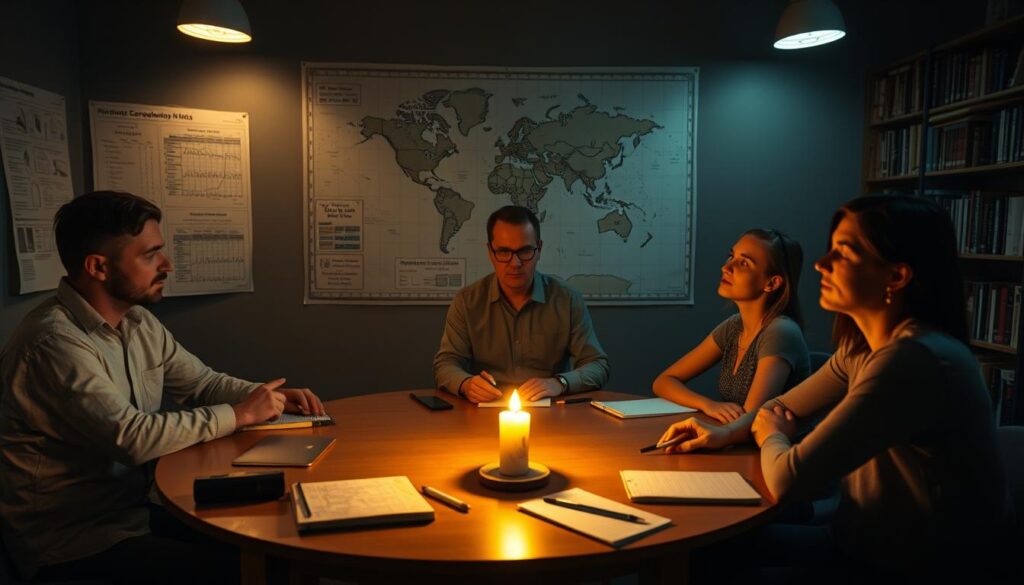
Proficiency gating matters: a viewer must master one set of exercises before moving on. Repetition builds flexibility so a viewer can produce usable responses on command.
- Drills cover all categories so the viewer is ready for any site.
- The monitor times rounds and evaluates progress during each session.
- Training sites give varied examples so responses broaden over time.
“Repetition and simple words form the foundation for reliable signal access.”
| Drill Focus | Task | Why It Helps |
|---|---|---|
| Word lists | 60+ basic descriptors | Builds instant objectification |
| Category rounds | Taste, smell, sound, touch, color, energetic | Ensures full coverage of impressions |
| Timed practice | Short bursts with pen motion | Improves signal pacing and ideogram skills |
Selecting Appropriate Sites for Practice
Good training sites present clear physical cues so a viewer can objectify impressions fast. Pick places that produce obvious smells, textures, or sounds. That clarity helps a remote viewer learn which impressions are true signal and which are mental overlays.
Examples work well: sewage treatment plants, airports, pulp mills, botanical gardens, chocolate factories, and steel mills each highlight different elements. Pat Price’s Rinconada Park pool example from 1974 shows why choice matters: clear cues make verification easier.

The monitor should select sites that challenge the viewer without overwhelming them. A varied list trains touch, smell, sound, and temperature so the viewer refines timing and pen motion during a session.
“Every element of the site is a potential source of useful information; pick places that yield unambiguous response.”
- Use a range of locations to cover many impressions.
- Choose clear, testable sites to speed skill development.
- Log results so the system can show where the viewer improves.
Common Pitfalls During Sensory Data Collection
Even seasoned practitioners stumble when they force unclear impressions into neat pictures. The urge to explain fragments quickly leads to confident but wrong labels. That impulse often becomes analytic overlay (AOL).

Two classic examples show the point. In 1979 Joe McMoneagle reported a submarine built inside a building and held to the signal, not the obvious context. In 1974 a session on Semipalatinsk correctly noted a gantry crane and gas cylinders despite odd surroundings.
Key pitfalls are simple. Trying to visualize a full scene invites AOL. Filling blanks with imagination when the signal fades ruins the response. Skipping the format or rushing pen motion breaks the system and weakens results.
- Record every element as perceived; don’t explain it yet.
- Let the monitor call out obvious overlay so you can reset.
- Use training sessions to rehearse restraint and timing.
“Write what you feel; label explanations later.”
For step‑by‑step training that helps avoid these traps, see a practical guide on how to learn controlled remote viewing.
Conclusion
In summary, steady structure and quick literal notes create testable and useful session records. Stick to simple words, keep pen motion brisk, and let the format guide your work.
The information provided in this guide gives a practical foundation. Focus on signal recognition and avoid analytic overlay to improve accuracy over time.
Remember that stage stage is a stepwise progression. Gain proficiency here before moving forward and use varied practice sites to build reliable skill.
For trainers and serious students, consider formal training on how to become a professional remote viewer to deepen technique and preserve session integrity.