

Remote viewing began as a structured method to access non-ordinary data. Researchers such as Ingo Swann shaped CRV at SRI-International during the early 1980s. This work fed programs that ran for decades and produced manuals used by military teams.
A monitor guides a session so a viewer keeps clear sequence and proper signal line during each stage. Simple cues and strict structure help reduce noise, environmental overlays, and stray thoughts.
Viewers learn to sketch quick ideograms, note impressions, and pull raw information from a site or a target space. Short training cycles and repeated practice improve accuracy and confidence over time.
Controlled rooms, timed sessions, and clear feedback make the process repeatable. With steady practice, a viewer refines perception, learns useful responses, and gains better awareness of internal signals.
Key Takeaways
- Ingo Swann developed CRV at SRI in the early 1980s, shaping modern methods.
- A dedicated guide helps a viewer keep structure and follow a signal line.
- Simple tools like ideograms and timed notes speed data capture.
- Quiet, controlled spaces reduce external overlays during a session.
- Consistent training boosts a viewer’s ability and confidence.
Understanding the Role of the Monitor in Coordinate Remote Viewing
A trained guide hands coordinates, then watches how a viewer moves through each stage.

Objectivity matters. A monitor supplies geographic coordinates that act as the primary cue for the viewer. This keeps attention aimed at a single site and reduces imaginative overlays.
The guide records raw notes, ideograms, and timing markers. Those records let analysts compare impressions with later data. A clear log improves feedback and supports training for future viewers.
“Good oversight preserves structure, so signal flow remains clean and usable.”
- Provide coordinates as concise cues.
- Observe without prompting, unless structure needs correction.
- Log information, time stamps, and any formal responses.
Historical programs at Ft. Meade showed that consistent oversight raises accuracy and awareness. In practice, this process helps viewers release bias and refine perception.
Defining the Monitor and the Viewer
Who a viewer is:
A viewer uses trained attention to pull impressions and sense details from a distant site. This person records quick ideogram sketches, short notes, and sensory terms while moving through each stage.
Training builds consistency. With repeated sessions, a viewer learns to separate stray thoughts from useful signal and to match impressions with later data.
Viewer defined
A remote viewing viewer is an individual who employs mind faculties to obtain information separated by distance, time, or obstacles. During SRI-1984 training, emphasis fell on clear definitions so results stayed repeatable and scientific.
Monitor defined
Monitor refers to the person who assists a viewer. This helper supplies prompts, records timestamps, and keeps session structure intact. They also provide analytical support to help decode incoming signal and align impressions with coordinates.

| Person | Main task | Tools used |
|---|---|---|
| Viewer | Perceive site impressions and record ideograms | Sketchbook, ideogram, sensory notes |
| Monitor | Provide prompts, log data, ensure method | Timing log, cue cards, session structure |
| Shared | Maintain signal line and Matrix awareness | Clear definitions, training sessions, feedback |
For further reading on related clairvoyant concepts, see clairvoyant abilities.
The Importance of the Viewing Environment
A quiet, featureless space reduces distractions so a viewer can gather clear data from a site.

Controlled rooms use acoustic tiles and uniform color to cut external noise and visual overlays. This setup helps a viewer keep a steady signal and a clear line through each stage.
Light control via a dimmer allows gradual shifts that keep attention on impressions and ideogram work. Simple lighting prevents sudden responses that can corrupt information flow.
- Featureless walls and soft sound dampening minimize environmental overlays.
- Dimmed light supports steady awareness across a session.
- A single person ensures the space stays free from distractions during each stage.
| Room Feature | Purpose | Effect on Data |
|---|---|---|
| Acoustic tile | Reduce noise | Cleaner signal, fewer false impressions |
| Uniform color | Minimize visual cues | Lower overlay risk, better ideogram clarity |
| Dimmer lighting | Control arousal | Stable awareness, improved session data |
Researchers at SRI stressed that such control improved reliability during training and field program periods. A calm environment helps viewers release bias and refine perception while collecting useful information.
Preparing for a Successful Session
A clear start helps both people focus and protects quality of incoming information.
Setting the Stage
Seats are placed at opposite ends of a table in a controlled viewing room. Each person has paper and pens ready. This simple arrangement reduces distractions and sets a formal frame for work.
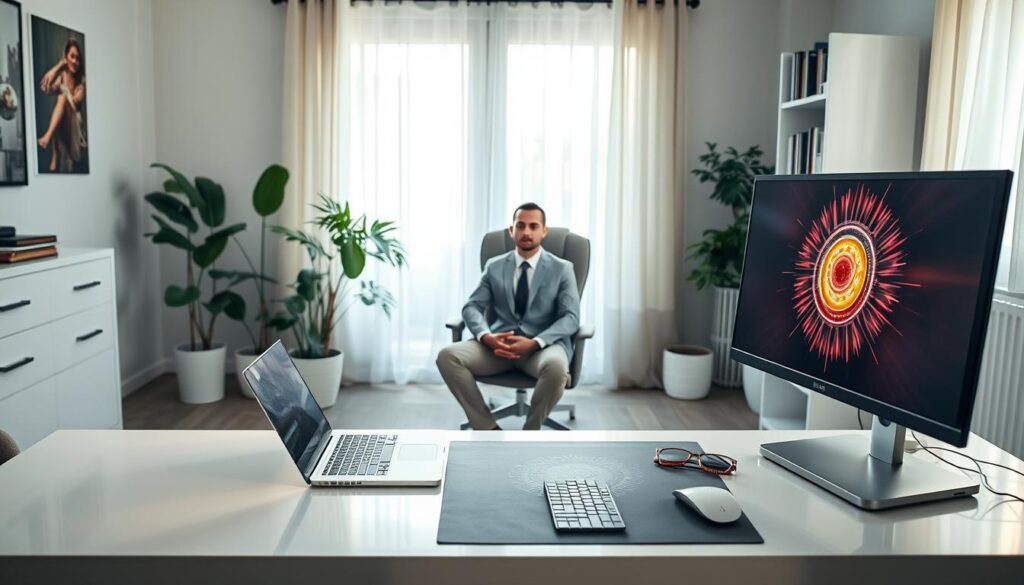
Before any prompt, the monitor hands geographic coordinates as the initial cue to evoke a signal line for the viewer. Ingo Swann’s 1984 training stressed that the viewer must have no conscious knowledge about a site before the stage begins.
Check all recording gear and time devices. Confirm tape recorders or digital recorders run and that paper is fresh. A brief checklist prevents lost data and keeps the process smooth.
Calm atmosphere matters. Soft light and quiet let a viewer access the Matrix and decode impressions into usable data. Small rituals, clear structure, and ready tools improve accuracy and help learning across future sessions.
| Step | Task | Purpose |
|---|---|---|
| Seat & tools | Opposite ends, paper, pens | Reduce bias, enable clear notes |
| Prompt | Provide coordinates | Start signal line for the viewer |
| Checks | Recorders, timing, lighting | Protect data, steady awareness |
For related techniques on sending focused intention and calming the mind, see how to send healing energy.
Establishing the Signal Line
Imagine a faint carrier wave that links mind and site; a viewer must learn to tune to it.
What the signal line is: A hypothesized train of subtle signals that carries raw information from a Matrix source. It acts like a non-material framework that lets a viewer access data about any person, place, or thing.
Practice turns that idea into a usable skill. A viewer learns to detect pattern, then to decode impressions into sketches and notes on paper. Repeating coordinates at measured intervals helps keep that thread steady during each stage.
“Focus on the line, not on outcomes; the signal will supply form and content.”
The 1986 DIA manual described this line as the main mechanism through which a viewer reaches data. Ingo Swann framed it as a carrier similar to radio propagation, but non-physical. With training, viewers convert raw energy into clear information and reliable ideograms.
- Maintain steady attention to preserve signal integrity.
- Repeat coordinates and time markers to refresh contact.
- Record quick sketches and sensory words to lock data to paper.

| Element | Function | Practical tip |
|---|---|---|
| Signal line | Carrier for impressions | Keep focus soft and steady |
| Viewer | Decode energy into data | Use quick ideograms, short notes |
| Cues & time | Refresh contact | Repeat coordinates at set intervals |
For related concepts and training aids, see psychic superpowers, which explores similar attention and perception skills useful for viewing practice.
Managing the Session Structure
A strict session frame keeps each stage focused and guards against stray impressions.
Maintaining protocol means watching a viewer through each stage and stopping deviations quickly. The person observing follows a scripted interviewer pattern to limit prompts that might add overlays.
This method was stressed during 1985 training. Branch chiefs and Fred “Skip” Atwater insisted on clear steps so data stayed repeatable across teams.
Maintaining Protocol
Monitors make sure a viewer records each response on paper in the required format. That discipline preserves raw impressions, quick ideogram sketches, and time markers for later analysis.
“Adherence to structure is necessary for scientific replicability.”
Ensuring Adherence to Structure
When a viewer drifts, the observer uses a minimal cue to bring them back to the signal line. That small correction prevents added imaginative detail and protects information quality.
- Follow a strict interviewer script.
- Log time, stage, and page for every response.
- Limit verbal prompts to preserve purity of data.

| Task | Purpose | Outcome |
|---|---|---|
| Scripted prompts | Limit interviewer input | Lower overlay risk |
| Paper format | Record ideograms and notes | Consistent data for review |
| Time stamps | Track stages and responses | Clear analysis timeline |
The Monitor as an Objective Observer
A steady, analytical presence preserves structure and protects incoming data during each stage.
Neutral oversight means watching a viewer without suggesting images or meanings. That approach keeps bias low and lets true site impressions surface on paper.

Major Paul H. Smith stressed objectivity in CRV manuals. He noted that clear distance between guide and content makes results more reliable. A single corrective cue may be given, but only when a viewer drifts from the signal line.
The observer logs time, stages, and raw ideogram sketches while avoiding interpretation. This analytic support helps split real site information from imaginative overlays. It also preserves format so later review compares notes and data fairly.
- Remain neutral to prevent bias.
- Record timestamps, ideograms, and short responses.
- Provide minimal feedback to restore signal when needed.
“Maintain objectivity; protect the process and let information form without interference.”
Providing Feedback During the Process
Brief, surgical feedback helps a viewer refine sensations into useful descriptors during each stage.
Feedback must arrive at measured intervals so a viewer stays on a signal line without distraction. Timing matters: a quick cue can restore focus, while a long comment risks adding overlays.
Training records from 1984 show Ingo Swann using short, targeted prompts to help a viewer sharpen details about a site. For training purposes, the monitor may know enough about a site to judge when accurate information appears.
Good feedback is minimal, factual, and never supplies new imagery. It helps viewers learn to drop imaginative responses and keep sketches and ideogram work on paper.

“Timed, neutral cues teach a viewer how to self-correct without losing signal.”
- Give cues only when drift occurs.
- Use single-word prompts or a timing beep.
- Log every response and time marker for later review.
| When | Feedback type | Purpose |
|---|---|---|
| Early stage | Short affirmation | Encourage form, protect signal |
| Mid session | Surgical cue | Refocus attention, reduce overlays |
| Late stage | Clarifying prompt | Refine details, lock ideogram |
Handling Information and Data Recording
Paper, pen, and careful timing turn fleeting impressions into reviewable data. During a session a participant speaks brief responses and sketches ideogram marks until a clear answer appears.
An observer records every verbal note, ideogram, and timestamp. This creates a complete archive that ties impressions to each stage and to time markers.
The 1986 DIA manual stresses a fixed format for notes so later analysis stays consistent. Follow that structure and label pages with stage, time, and site cues.

Clear logs help training teams compare results across sessions. After a run, analysts review paper records and match impressions to known site details. That process reveals patterns, strengths, and areas to release bias.
“Capture raw responses; preserve sketches; keep time stamps.”
- Document every verbal response and sketch.
- Use consistent format for stage and time entries.
- Keep records for post-session analysis and training review — see advanced training.
Minimizing Environmental and Interviewer Overlays
Noise from equipment, rooms, or prompts can mask subtle impressions during a session. Simple controls cut that noise and keep a viewer tuned to a signal line toward a site.
Environmental overlays fall when a viewing chamber is acoustically tiled and visually plain, as used at SRI-International. Soft light and uniform walls reduce startle reactions and lower imagined detail.
Interviewer overlays vanish when a monitor follows a tight, prescribed patter. Short, scripted cues and few words limit suggestion. That helps a viewer stick to stage prompts and report using the strict paper format.

“Control room features and limit prompts to protect signal and improve data.”
- Design the room: acoustic tiles, neutral color, dim light.
- Limit prompts: scripted questions only; one-word cues when needed.
- Fix format: standardized ideogram, short notes, time stamps on paper.
When these steps combine, a viewer can release bias and hold a clean line to site impressions. Training and discipline reduce overlay risk and raise accuracy for each stage and session.
The Monitor in the Training Process
New trainers guide beginners through short, repeatable exercises that teach method and focus. These drills build habits: timed notes, quick ideogram sketches, and neutral prompts that shape accurate responses.

Training Beginning Viewers
Start small. Early sessions emphasize clear format on paper and strict timing so a viewer learns to spot signal and reject imaginative overlays. Rehearsal with simple site cues makes skills reliable.
Preserving Methodology
Documented protocol matters. Major Paul H. Smith captured CRV steps so each trainee follows the same stages. That recorded method keeps sessions consistent and data useful for later analysis.
Institutional Memory
When staff rotate, written manuals and logged runs keep institutional memory intact. At Ft. Meade during 1984–85, systematic training preserved core concepts and let new viewers reach useful information faster.
“Teach habits, keep records, and protect structure so results remain repeatable.”
- Use scripted cues and timed runs for every session.
- Record ideogram, brief notes, and time stamps on paper.
- Review runs to refine skills and protect institutional knowledge.
Maintaining Professionalism and Objectivity
Maintaining strict professional standards keeps session data clean and usable. A calm, unbiased guide supports a viewer through every stage and protects incoming information from personal bias.
Objectivity means minimal prompting, clear timing, and steady adherence to protocol. Neutral conduct preserves a signal line so impressions link to a single site without added overlay.
Trust grows when a guide follows documented training and a fixed structure. That trust helps a viewer report honest responses on paper and sustain focus across stages.
Historical reviews, such as the 1995 AIR report, stress controlled conditions and objective evaluation for credible results. Consistent method and careful notes make later analysis reliable.

| Practice | Purpose | Outcome |
|---|---|---|
| Neutral prompts | Limit suggestion | Cleaner data and honest responses |
| Timed checks | Preserve signal line | Consistent staging and timestamps |
| Documented method | Repeatable training | Trusted analysis and feedback |
For structured training and a practical plan for skill growth, see psychic development online.
Common Challenges for Monitors
A common snag is that a viewer’s focus can flicker when internal images or external noise intrude. This interrupts a signal and weakens a line to a site during a session.
Keeping calm helps. A monitor must spot drift fast and deliver a short re-cue without adding overlays. When a viewer offers vague data, patience and a timed prompt restore contact.
Stargate Project records show teams struggled when information stayed sketchy. Good training and firm structure reduce that risk. Practice teaches how to balance minimal feedback with strict format so paper logs remain clean.
“Short, neutral cues are better than long explanations when a signal frays.”
- Prevent distractions that pull a viewer off a line.
- Detect lost contact quickly and re-cue with a timed prompt.
- Handle unclear responses by guiding back to sensory detail, not by supplying meaning.
For related methods that sharpen focus and strengthen signal work, see energy manipulation techniques.
Ethical Considerations in Remote Viewing
Practical safeguards keep information collection lawful and respectful to people tied to a site. Ethics guide each step of a session and shape how teams treat any site that appears during work. Consent, purpose, and clear limits must lead decisions in every process.
A monitor must ensure privacy and rights are respected. Logs and rules prevent misuse. Records should state purpose, authorized users, and retention limits before any data is placed on paper.
Historical reviews, including a 1995 CIA‑commissioned AIR report, questioned ethics when psychic methods supported intelligence tasks. That review pushed for formal checks to halt unauthorized surveillance of a site.
- Follow written consent and access rules for each site.
- Limit distribution of notes and sketches created on paper.
- Keep strict structure for approval, use, and review of results.
Military practice at Ft. Meade set firm standards across all stages. Adherence builds trust, protects people, and ensures each response is used only for legitimate, documented aims.

Future Perspectives on Monitoring Techniques
Future labs may combine biometric feeds and live analytics to safeguard signal integrity. This approach could help trackers map attention through each stage and spot drift sooner.

Advances will let a single guide merge real-time metrics with careful notes on paper. That mixed record will speed review and sharpen feedback timing without adding bias.
Researchers at PEAR and similar groups explored analytic tools that refine judgment. Expect software to flag odd patterns, suggest gentle cues, and protect a clean signal line.
“Real-time analysis promises more precise feedback and stronger session integrity.”
- Live data reduces response lag and refines prompt timing.
- Structured logs keep stages clear for post-run study.
- Better tools aim to preserve method while improving accuracy.
| Tool | Benefit | Use case |
|---|---|---|
| Biometric sensors | Detect attention shifts | Signal drift alerts during stages |
| Live analytics | Pattern recognition | Suggest precise, minimal cues |
| Integrated logs | Combine data and paper notes | Faster, clearer post-session review |
Conclusion
, A focused process turns fleeting sensations into reliable notes and timed sketches. Short, clear structure helps each session produce usable data on paper.
A steady guide keeps attention aligned across stages and preserves clean response logs. One skilled monitor supports discipline, timing, and neutral prompts so results stay repeatable.
History from SRI to Stargate shows how firm method and careful paper records built trust. As tools evolve, practice and professionalism will refine how teams protect signal and sharpen response quality.
Ultimately, honest conduct and solid structure make the process meaningful and useful for analysts and trainers alike.