

The Target Vault offers a dependable set of practice targets from Remote Viewing Instructional Services, Inc. and Paul H. Smith.
This service gives aspiring viewers a structured way to practice. Use the set to run consistent sessions that build skill and confidence.
Every session lets you record your impressions and compare them to real-world feedback. That steady rhythm helps you track growth and refine technique.
We provide clear numbers and verifiable information so both beginners and experienced viewers can test abilities against a safe, curated pool. The system supports daily practice and creates a personal archive of results.
For details on data handling and privacy, see our privacy policy.
Key Takeaways
- Target Vault is a practice resource by Paul H. Smith and Remote Viewing Instructional Services, Inc.
- The service supplies repeatable targets and numbers for daily practice.
- Each session builds a verifiable archive and offers real feedback.
- The system supports skill growth for beginners and advanced viewers.
- Use consistent practice to improve accuracy and confidence.
Getting Started with Your Remote Viewing Practice
Preparation matters. Start by organizing a quiet corner, a black pen, and blank white sheets to anchor your practice. Keep distractions low so your mind can settle quickly.
Essential Preparation
Gather a few sheets of plain white paper and a black-ink pen. Sit where you will not be interrupted for the length of the session.
Write your name, the date, and the start time in the upper right of the first sheet. On the left side place the coordinate number or ID for the session.
Defining Your Target
Decide whether you will work one target or several. You may choose any order that suits your training needs.
Use a hard, provable target when you can; solid feedback builds a reliable record. Never view the feedback photo until you finish and score your own transcript.
- Keep the pen in hand to stay engaged with the signal line.
- Focus your mind on the object, location, or event you intend to describe.
- Targets can exist in any time or place, but pick safe, benign subjects for practice.
| Item | Where to Write | Why It Matters |
|---|---|---|
| Name | Upper right | Helps track sessions and progress |
| Start time | Upper right | Records session length for review |
| Coordinate / number | Left side | Links transcript to the correct target for feedback |
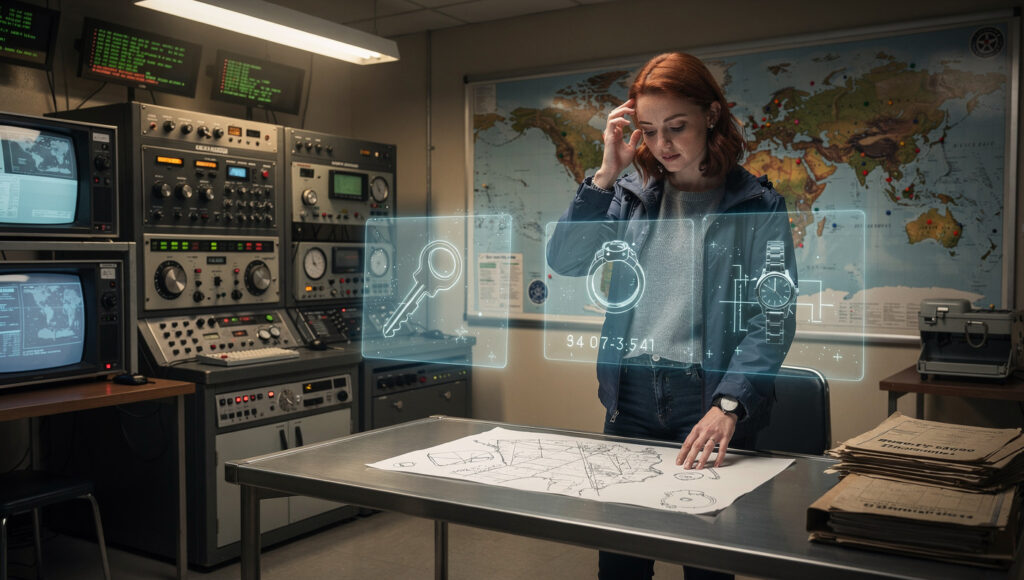
For additional practice focus techniques see practice focus techniques.
How to Use the Coordinate Remote Viewing Target Coordinates Generator
Pick a single number from the archive, write it down, and treat it as your session’s starting cue. This simple step sets the frame for a focused remote viewing practice.
Use the sample number 200325621 as an example if you need a place to begin. Write the number on the left of your first sheet and do not click any feedback links before you finish.
Follow a clear routine: prepare, record the number, conduct your session, then write a closing summary. Always end the transcript by writing the word end and the finish time.
- The information target you choose acts as a bridge between the conscious mind and the signal line.
- If you pick an archived item, the blue number will let you access the photo once you complete the session.
- Feedback links for new items usually go live after a four-day embargo, so resist the urge to peek.
We provide viewing targets so each viewer has a consistent way to check accuracy against verifiable photographic evidence. By following this way of working, you can measure progress and refine your skills over many sessions.

Want more practice methods? See clairvoyant predictions for related exercises and tips.
| Step | Action | Why it matters |
|---|---|---|
| 1 | Select and write the number | Anchors the session and links transcript to feedback |
| 2 | Complete session without checking links | Prevents bias and protects accuracy |
| 3 | Write “end” and time | Closes the session for clear scoring |
Understanding the Stages of Perception and Dimensionality
Stage III opens when aesthetic impact appears. This inner response widens the aperture and lets a viewer perceive richer dimensional cues. Write any strong emotional impression on your paper so feelings do not color the raw data.
The Role of Aesthetic Impact
Aesthetic impact is the viewer’s subjective reaction — impressed, uneasy, or surprised. Declare those words on your sheet. Naming the feeling keeps it separate from factual information and improves later scoring.
Exploring Motion and Mobility
Mobility lets the viewer shift perspective point to point. That movement reveals diagonal, horizontal, vertical, mass, space, and volume. Follow the order of dimensional expression to keep sketches spontaneous and accurate.
Sketching and Tracking Techniques
Keep your hand on the pen while sketching to stay linked to the signal line. Use trackers — closely spaced dots or dashed lines — to describe contours.
Avoid analytic overlay by focusing on raw words and simple forms, then add detail only after the session and feedback. For more practice tips see psychic superpowers.

Managing Subjective Responses and Analytic Overlay
Recognizing when your mind labels a scene is the first step to honest feedback. Analytic overlay (AOL) happens when the viewer’s past experience forces a premature name onto incoming data.
Declare every AOL by writing it down. Naming the interference separates it from the true information line and clears mental space to continue the session.
Identifying and Declaring AOL
- Analytic overlay appears as quick labels or familiar stories that feel convincing but reduce accuracy.
- AOL Drive shows up as repeating signals, a signal line that ends in blackness, or vivid sequences called peacocking.
- If you notice ratcheting or a feedback loop, stop and take an AOL break to reset your mind and preserve quality.
- When in doubt, write the words, step back, and let the information target present itself without force.
“Declaring AOL clears the workspace and helps a viewer return to true perception.”

For an example of related practice ideas, see energy healing and remote methods.
Conclusion
Daily practice with disciplined record-keeping helps transform raw impressions into reliable results.
Mastery requires steady sessions and clear notes. Use the set of numbers and coordinates to run honest drills. Record the start time, the number, and your impressions so you build a useful archive.
The information from each session becomes feedback you can trust. As a viewer, you will refine perception and improve accuracy by returning to these viewing targets often.
Keep a calm mind, stay curious, and track progress. For related resources and expert lists, see top tarot card readers.
Thank you for using this resource to support your journey into professional practice.